
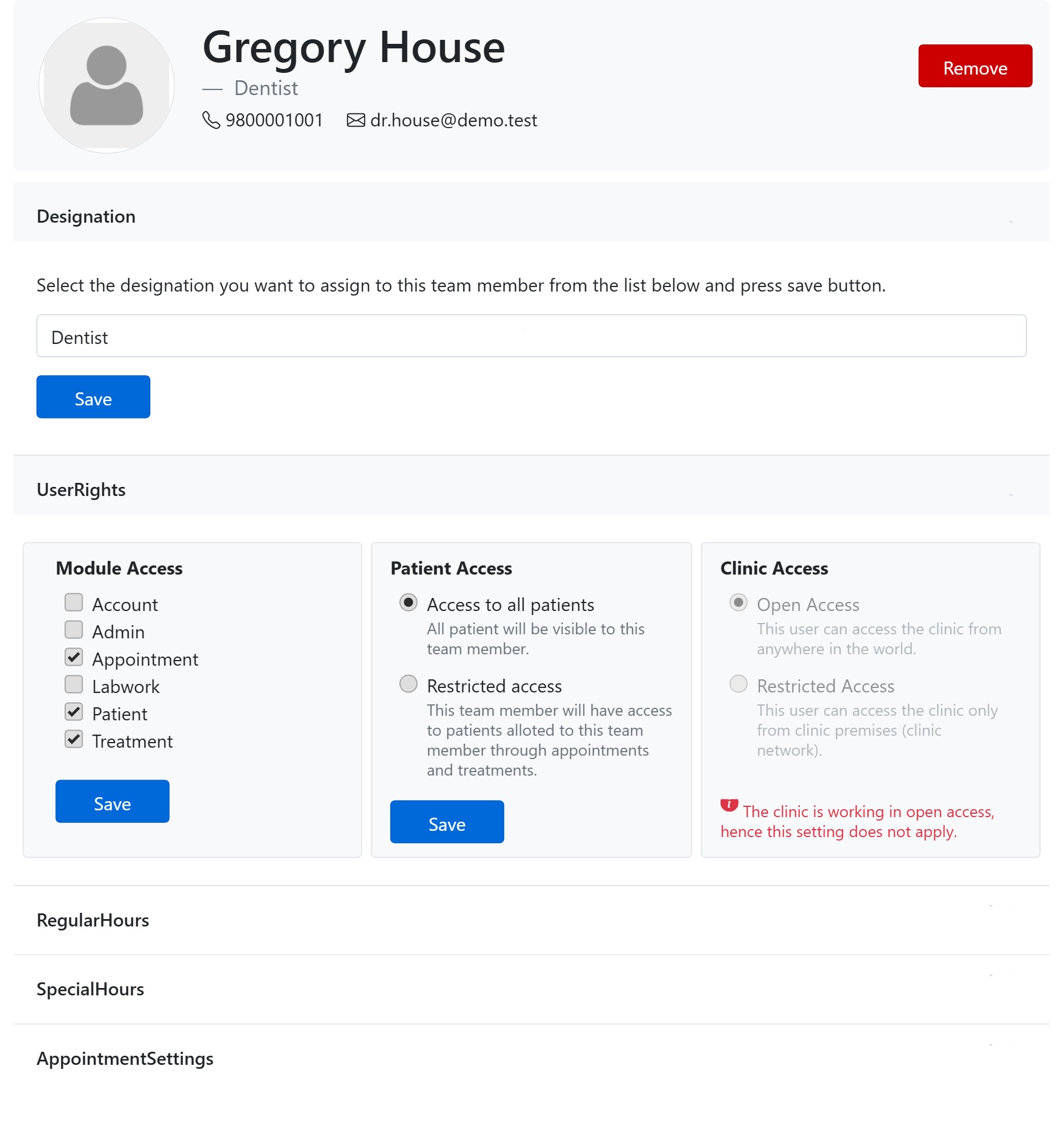
Module Access decides which parts of CAPS28 a team member can open. It is the first of the three User Rights panels on a member’s details page (Team → open a member). You tick one box per module; the modules you tick show up in that person’s left-hand menu, and the ones you leave unticked are hidden from the menu and blocked if someone tries to reach them by URL.
The modules you can grant
Each check-box maps to one area of the app:
- Patient — the Patients module: patient records, registration, examinations, radiographs, prescriptions, forms, consents, documents, photo gallery and communications.
- Appointment — the Appointments module: the day calendar, booking, rescheduling and reminders.
- Treatment — the Treatments module: the tooth chart, treatment plans and recording completed procedures.
- Labwork — the Labwork module: creating and tracking lab orders.
- Account — the Accounts module: bills, payments, patient ledgers, account heads and office transactions. This exposes clinic money, so grant it only to staff you trust with finances.
- Admin — the Office / Admin settings: general settings, business hours, chairs, the Team page itself, procedure & fees, form and consent templates, reports, reminders, subscription and clinic security. This is the most powerful right — anyone with Admin can add or remove users and change how the whole clinic works — so keep it to owners and managers.
The Dashboard is not a tick-box — every user who can log in sees it; the cards on it simply link through to the modules the person is allowed to open.
Rules & tips
- A member must have at least one module ticked — you cannot save an empty set.
- The owner’s rights are locked and cannot be changed.
- Each User Rights panel has its own Save button — saving Module Access does not save the Patient or Clinic Access panels next to it.
- Typical set-ups: a receptionist gets Patient + Appointment (and often Account); a hygienist or associate gets Patient + Appointment + Treatment; a practice manager also gets Admin and Account.
Module Access controls what a person can open. Pair it with Patient Access (whose records they see) and Clinic Access (where they can log in from).