
We’re excited to announce RVG sensor capture in CAPS28. Take an intra-oral X-ray and have it land straight on the patient’s radiograph history — no exporting, renaming or hunting for files.
What’s new
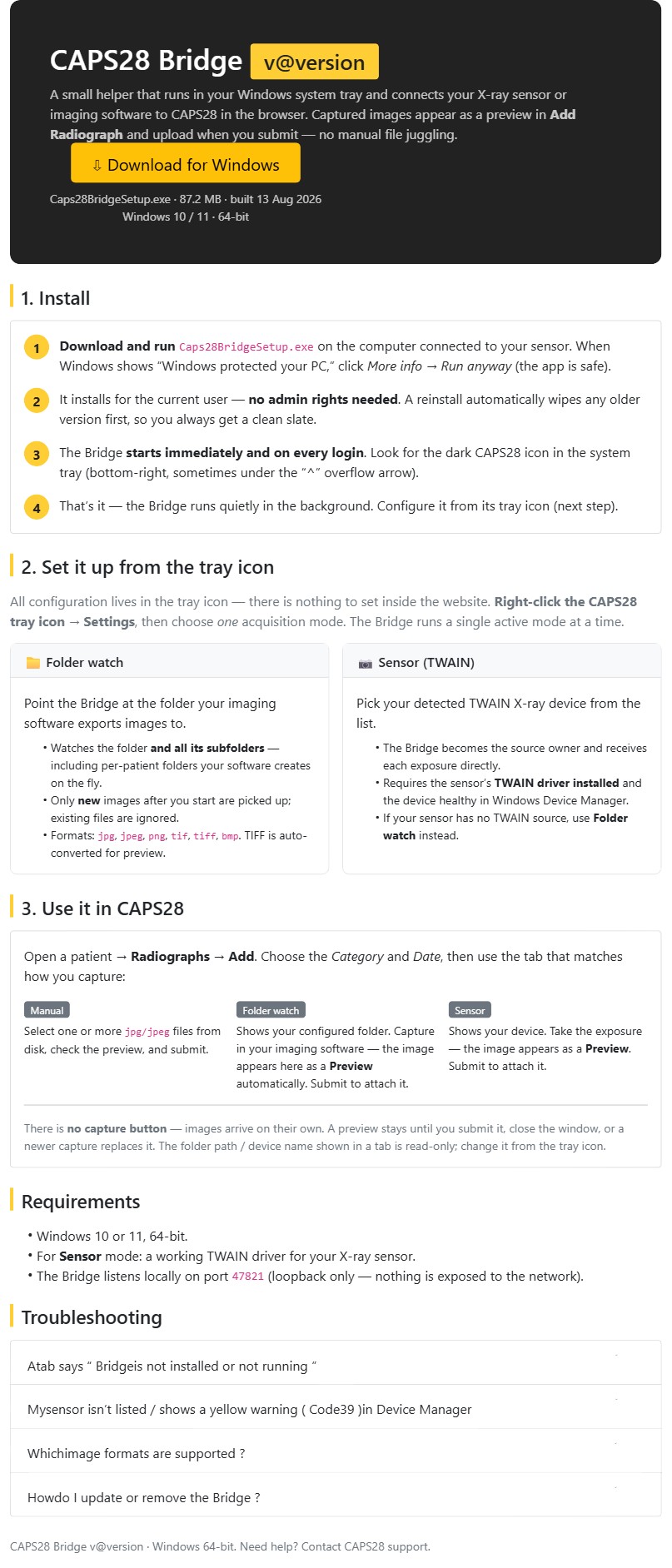
CAPS28 now talks directly to your RVG sensor through the RVG-Bridge, a small Windows tray helper. Capture an image and it appears as a live preview inside Add Radiograph, then attaches to the patient the moment you submit.
How you use it
- Install the RVG-Bridge once on the computer connected to your sensor (no admin rights needed).
- Open a patient → Radiographs → Add Radiograph.
- Take the exposure on your sensor — the image previews in the browser instantly.
- Submit — it’s saved to the patient’s radiograph history.
Prefer to work from files? The Manual upload tab still works exactly as before.
Full setup guide: see RVG-Bridge (sensor & folder capture) in Resources.
Leave a Reply